
CSC10002 Solo Project Documentation
In this project, I use raylib and raygui for the GUI part. I also use tinyfiledialogs for files handling. You can read more about them at: https://www.raylib.com/, https://github.com/raysan5/raygui https://github.com/native-toolkit/libtinyfiledialogs
Classes:
I have 7 classes for 7 screen. There’re also some other classes support rendering reusable components.
SinglyLL, DoublyLL, CircularLL, Stack, Queue, StaticArray, DynamicArray: these classes render their own screen when the method render() being called.
SinglyLL:
This class is used to handle the Singly Linked List screen.
| Property | Usage |
|---|---|
| bool searchDone | To determine if the searching is done or not |
| bool found | To determine if the list contains the given value |
| bool animDone | To determine if we finish animation or not |
| bool isUpdating | Same as above |
| bool isSearching | Same as above |
| bool showCreateButtons, showAddButtons, showDeleteButtons, showSearchButtons, showUpdateButtons | To determine if we should show the options or not |
| bool shouldHighlight | To determine if the nodes should be highlight or not |
| bool shouldMoveUp | To determine if the newly added node should move up or not |
| bool needUpdate | To determine if the highlight rectangle has changed or not |
| bool isAddToHead, isAddToTail, isAddToIndex | To determine where we are adding the new node to |
| bool isRemoveHead, isRemoveTail, isRemoveIndex | To determine where we are removing the existing node |
| bool isNodeNext | To determine if we should highlight the node in next step |
| bool isCodeNext | To determine if we should highlight the line of code in next step |
| bool enableInput[10] | To determine if a given input box allows user to input data |
| bool showInputBox[10] | To determine if an input box should render or not |
| bool lineHighlight[10] | To determine if a line of code has been highlighted or not |
| bool selected[12] | To determine if a node is selected (after user clicked on it) |
| int value[10] | To store the value of each input box (required in InputBox class) |
| int index | To keep track of the index we are adding or removing |
| int newVal | To store the new value of a node when we update one |
| int currentIndex | To store the index that’s currently selected by the user (-1 if user don’t select any) |
| double errStartTime | To store the time when we has an error |
| char input[10][10] | To store the input box’s value as chars (required in InputBox class) |
| char *fileData | To store the file’s data |
| HighlightRectangle rect | To highlight the code |
| Method | Usage |
|---|---|
| bool add(int val, int pos, bool hasAnimation = false) | To add new node with value val to position pos in the linked list. The hasAnimation is used to determine if we want to show the animation during adding or not. |
| It returns true if added successfully, false otherwise. | |
| void reset() | To set all showCreateButtons, showAddButtons, showDeleteButtons, showSearchButtons, showUpdateButtons, and showInputBox[10] to false |
| void render() | To display everything |
| void getRandom() | To get a random linked list |
| void remove(int id) | To mark a node at position pos to be removed from the linked list |
| void removeAll() | To remove all nodes from the linked list |
| void removeFromLL() | To actually remove the marked node from the linked list |
| void createRandomList() | To generate a random linked list. It also clears the current list first |
| void addFromFile(const char *filePath) | To create a linked list with nodes’ values from the given file |
| void setIsLast() | To set the isLast property for every node |
DoublyLL, CircularLL, Stack, and Queue has almost the same data as above, they just differ a little bit based on how I want them to render stuff on the screen.
StaticArray:
This class is used to render Static Array screen.
| Property | Usage |
|---|---|
| bool showCreateButtons, showAddButtons, showDeleteButtons, showSearchButtons, showUpdateButtons | To determine if we should show the options or not |
| int n | To store the array’s size |
| const int maxSize; | To store the array’s capacity. It’s a constant since the capacity will never change (for static arrays) |
| int val | To store the value |
| int currentIndex | To store the selected index |
| int step | To store the current step when doing different actions |
| int prv | To store the previous index (for searching purpose) |
| float notiTime | To store the time when there’s a new notification |
| float startTime | To store the start time of the current step |
| int value[10] | To store input box’s value (required in InputBox class) |
| char *notiMessage | To store the newest notification message |
| char input[10][10] | To store the input box’s value as chars (required in InputBox class) |
| Method | Usage |
|---|---|
| StaticArray() | Serve as default constructor, it allocates random size with value = 0 |
| void render() | To display the data structure to the screen |
| void setNotiMessage(const char* message) | To set the notification message, it also sets the notiTime to the current time |
| void reset() | To set all showCreateButtons, showAddButtons, showDeleteButtons, showSearchButtons, showUpdateButtons, and showInputBox[10] to false |
| void createRandomArray() | To generate a random array with random size and random value $\in [10, 99]$ |
| void addFromFile(const char *filePath) | To read data from given file and update the structure |
| void removeAllFromArray() | To clear the current data |
DynamicArray:
It almost the same as StaticArray. One major change is that the maxSize is no longer be used as we want to increase the capacity when we need.
ArrayGuiNode:
This struct is used for rendering array’s elements on the screen.
| Property | Usage |
|---|---|
| int val | To store its value |
| int index | To store its index |
| Vector2 curPos | To store its position on the screen |
| bool hasValue | To determine if it has value or not (to render differently) |
| bool isSelected | To determine if it’s selected or not |
| bool isHighlighted | To determine if it’s highlighted or not |
| Color highlightColor | To store the highlight color |
| Method | Usage |
|---|---|
| ArrayGuiNode() | Default constructor. It will set the highlightColor to default, and val to 0 |
| ArrayGuiNode(Vector2 pos) | Another constructor. It will set the curPos to pos |
| Vector2 getCurPos() | To get the current position |
| int getVal() | To get its value |
| bool getIsClicked() | Returns true if user has clicked on it, false otherwise |
| void render() | To render a single array’s element |
| void setCurPos(Vector2 pos) | To set the curPos to pos |
| void setVal(int nVal) | To set the val to nVal |
| void setIndex(int nIndex) | To set the index to nIndex |
| void setHasValue(bool nHasValue) | To set the hasValue to nHasValue |
| void setIsSelected(bool selected) | To set the isSelected to selected |
| void setIsHighlighted(bool nHighlighted) | To set the isHighlighted to nHighlighted |
| void setHighlightColor(Color nHighlightColor = accentColor2) | To set the highlightColor to nHighlightColor (it’s default value is accentColor2) |
Arrow:
It draws the arrow pointing from one node to another in Linked Lists.

| Property | Usage |
|---|---|
| Vector2 start | To store the starting position of the arrow |
| Vector2 end | To store the ending position of the arrow |
| bool isCycle | To determine whether it should print differently (only use in CircularLL) |
| Method | Usage |
|---|---|
| Arrow() | Default constructor. It sets both start, end to (0, 0) |
| Arrow(Vector2 s, Vector2 e) | Another constructor. It sets start = s, end = e |
| Vector2 RotatePoint(Vector2 point, Vector2 origin, float angle) | To find the point that fit the required angle |
| void render() | To render the actual arrow |
| void setIsCycle(bool cycle) | To set isCycle to cycle |
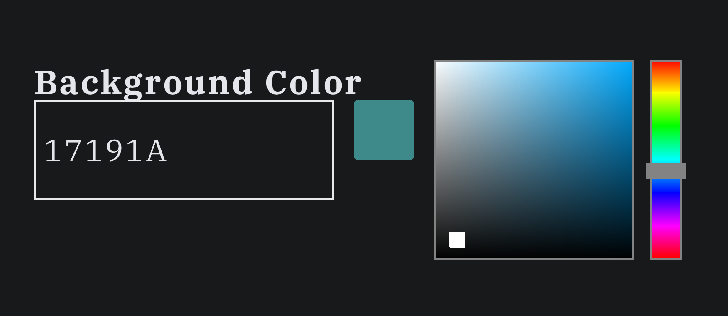
ColorSelector:
It allows user to select color, by selecting one or input the color’s HEX code.
| Property | Usage |
|---|---|
| Color* selectedColor | To store the color that user selects |
| Rectangle rect | To store the position and the size of the color selector |
| int curColor | To store the input value as int |
| char *title | To store the name of the color selector |
| char *currentColor | To store the input value as char (required in InputBox class) |
| bool enableInput | To determine if this input is editable |
| Method | Usage |
|---|---|
| ColorSelector() | Default constructor. It sets selectedColor = nullptr, rect({0, 0, 0, 0}) |
| ColorSelector(Color* color, Rectangle pos, char* title) | Another constructor. It sets the selectedColor, rect, and title. It also updates the currentColor to selectedColor using the updateCurrentColor |
| void updateCurrentColor() | To update the currentColor to selectedColor |
| Color getSelectedColor() | To get the selectedColor |
| void render() | To render the color selector |
GuiNode:
This class helps rendering rectangular nodes for Linked Lists, Queue, and Stack.

| Property | Usage |
|---|---|
| int val | To store the node’s value |
| Vector2 curPos | To store the current position |
| Vector2 newPos | To store the new position to move to |
| float curOpacity | To store the current opacity |
| float newOpacity | To store the new opacity to change to |
| float progress | To store the current animation’s progress |
| float highlight | To store the highlight duration |
| bool isLast | To determine if it’s the last node in the list |
| bool isOutdated | To determine if it’s outdated and need re-rendering |
| bool isShifted | To determine if newPos has changed or not |
| bool isHighlighted | To determine if it should be highlighted or not |
| bool isDone | To determine if the animation has done or not |
| bool isRemove | To determine if this node will be removed or not |
| bool isHead | To determine if it’s the head of the list |
| bool isSelected | To determine if it’s selected by the user |
| bool shouldRenderArrowNext, shouldRenderArrowPrev | To determine if it should render different type of arrow |
| bool isDoublyNode, isStackNode, isQueueNode | To determine the type of node |
| char text[20] | To store its current text |
| Arrow arrNext, arrPrev | To render arrows |
| Color highlightColor | To store the highlighting color |
| Method | Usage |
|---|---|
| GuiNode() | Default constructor |
| GuiNode(Vector2 pos) | Another constructor. It sets the curPos to pos |
| Vector2 getCurPos() | To get the current position |
| float getOpacity() | To get the current opacity |
| bool getHighlight(), getIsDone(), getIsRemove(), getIsLast(), getIsOutdate(), getIsShifted(), getProgress() | Getters for boolean variables |
| Vector2 getArrow() | To get the arrNext |
| bool getIsClicked() | To determine if the node was clicked or not |
| void render() | To render the whole list |
| void setCurPos(Vector2 pos), setVal(int nVal), setIsLast(bool isLast), setNewHighlight(float h = 1), setNewOpacity(float opacity), setNewPos(Vector2 pos), setIsDone(bool isDone), setIsRemove(bool isRemove), setArrowNext(Vector2 s, Vector2 e), setArrowPrev(Vector2 s, Vector2 e), setIsHead(bool isHead), setHighlightColor(), setShouldRenderArrowNext(bool shouldRender), setShouldRenderArrowPrev(bool shouldRender), setText(const char* t), setIsSelected(bool selected), setIsCycle(bool cycle), setIsDoublyNode(bool isDoubly), setIsStackNode(bool isStack), setIsQueueNode(bool isQueue) | Setters for different properties |
HighlightRectangle:
It helps highlight the corresponding line of code.

| Property | Usage |
|---|---|
| int pos | To store the current line’s index |
| float time | To store the duration |
| float curTime | To store the elapsed time |
| bool isDone | To determine if the animation is done or not |
| Method | Usage |
|---|---|
| bool getIsDone() | To get the current status |
| int getPos() | To get the current line’s index |
| void render(Color tmp = ColorAlpha(accentColor, 0.4)) | To render the rectangle with color tmp |
| void update(int index, float t) | To update the rectangle position and duration |
InputBox:
It helps rendering an input box to receive user’s input. It supports on focus feature (i.e only available to input when user has clicked on it). It also renders a nice action button with an icon next to the input box.

| Method | Usage |
|---|---|
| bool DrawInputBox(Rectangle rect, const char* title, char* input, int& value, bool &enableInput, int icon = 0) | To render an input box. The input value will be stored in input, then it will be convert to value. The function returns true if user has submitted it. |
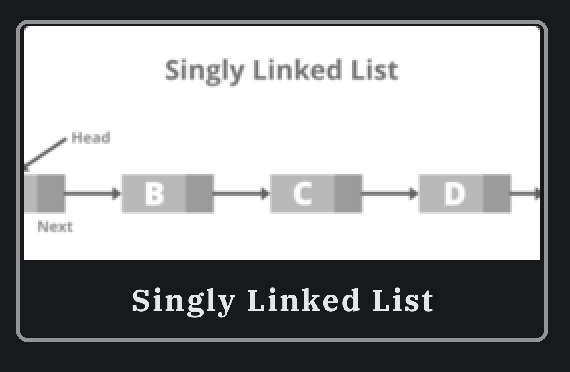
MenuItem:
It helps render a card-style menu item. It also supports on click function to redirect to different screen.
| Property | Usage |
|---|---|
| Rectangle rect | To store the position and the size of the item |
| char *text | To store the title of the card |
| Image img | To store the image of the card |
| Texture2D texture | To display the image (as raygui requires) |
| Method | Usage |
|---|---|
| MenuItem(Rectangle r, char* t, char* path) | Constructor. It will load everything to the proper variables and have everything ready to render |
| bool render() | To render the whole thing on the screen. The function returns true if the item was clicked |